
Speedtest Tracker
Displays speed test results from your Speedtest Tracker instance.
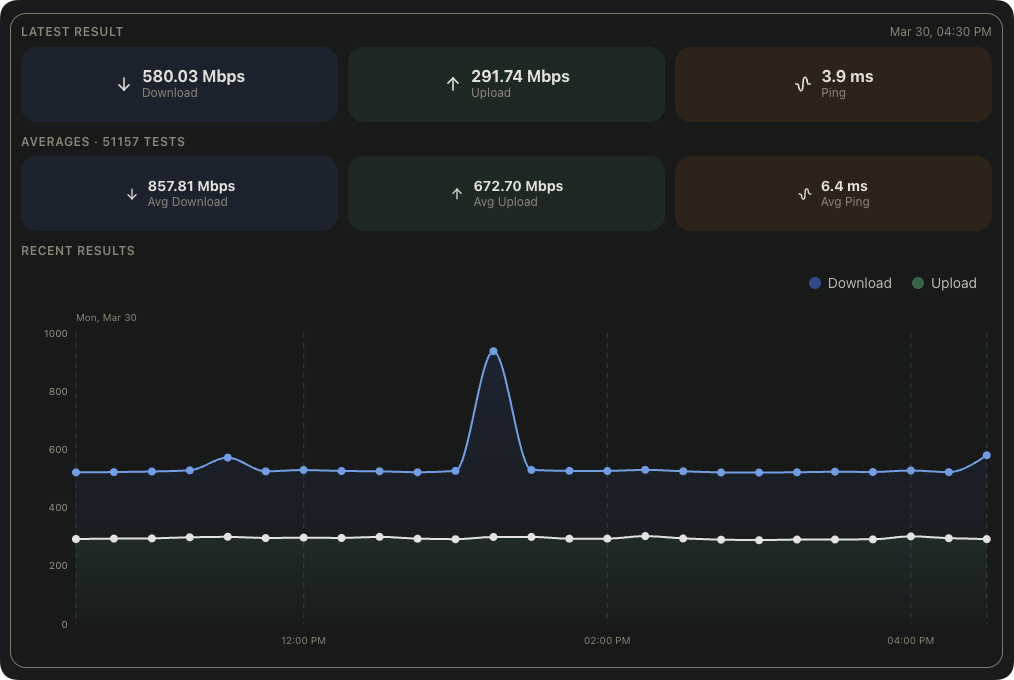
This widget displays internet speed test results from your Speedtest Tracker instance, including the latest result, historical averages, and a live chart of the last 12 hours.
The widget keeps every configured overview section in a compact card layout and names its healthy sources when multiple integrations are selected.
When multiple Speedtest Tracker integrations are selected, results from healthy sources remain visible if another source fails. A warning indicator identifies each unavailable integration without exposing private request details. If every selected integration fails, the widget reports an error; if cached data remains visible after a later total failure, a stale-data warning is shown.
Screenshots
Supported Integrations

Supports advanced view. See the advanced keyboard shortcuts.
Adding the widget
Add the widget from the board's Add board content menu in edit mode.
Configuration
| Name | Description | Values | Default value |
|---|---|---|---|
| Show latest result | Displays the most recent speed test result, including download speed, upload speed, ping, and health status. | yes / no | yes |
| Show averages | Displays average download speed, upload speed, and ping across all recorded tests. | yes / no | yes |
| Show recent results | Displays an area chart of the last 12 hours of speed test results. | yes / no | yes |
| Show ping results | Displays a chart of ping results. Only shown if 'Show recent results' is disabled. | yes / no | no |