
Anchor Note
Notes
Display and edit a selected note from Anchor
The Anchor Note widget shows a selected note from your Anchor integration. If your note permissions allow it, you can also edit the note title and content directly in Homarr.
Advanced view always shows the note title and update time alongside the complete formatted document, permission, creation date, and pinned or archived state. Compact title and update-time switches do not hide that information in advanced view.
Screenshots
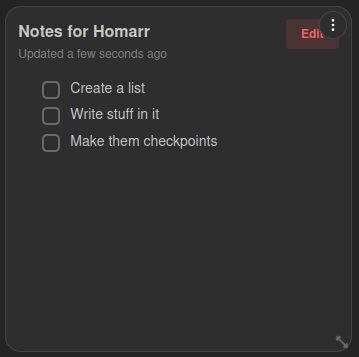
Supported Integrations

AnchorAnchor is a self-hosted note-taking application. The Anchor integration lets Homarr display and edit selected notes directly from the dashboard.
Interactions
- Hover the widget, focus within it, or use a touch device to reveal Edit, then select it to start editing the note.
- Click Save to persist changes to Anchor.
- Click Cancel to discard unsaved changes.
Supports advanced view. See the advanced keyboard shortcuts.
Adding the widget
Add the widget from the board's Add board content menu in edit mode.
Configuration
| Name | Description | Values | Default value |
|---|---|---|---|
| Note | Select the note from your Anchor integration to display in the widget. | One of the notes from your Anchor integration | - |
| Show title | Show the note title at the top of the widget. | yes / no | yes |
| Show last updated | Show the relative last updated time of the note. | yes / no | yes |