
Bookmarks
Keeps useful links together
The Bookmarks widget keeps direct URLs and Homarr Apps in one ordered list. URLs do not require an App record; Homarr uses the site's favicon when available. Choose adaptive, compact-grid, or other layouts from the widget configuration. Vertical uses consistent compact rows and keeps bookmark names visible whenever the widget is wide enough, regardless of how many bookmarks are configured. Adaptive and grid layouts reduce card height and spacing to show as many bookmarks as possible before scrolling. Horizontal uses a compact, centered scrolling row with narrower cards in one-row widgets. Horizontal, vertical, compact-grid, and icon-only layouts keep their gaps tight. Compact grid also preserves its configured columns when the dashboard is scaled. Bookmark cards, icons, text, and gaps keep the same visual density when a low-column dashboard is enlarged to fill the screen.
Right-click a bookmark link in view mode to use the browser menu, including opening it in a new tab or copying its address.
Screenshots
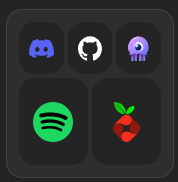
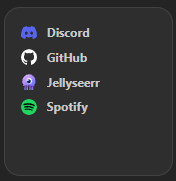
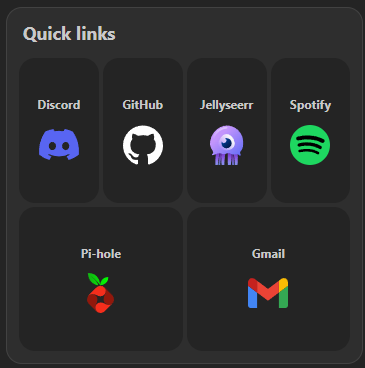

Supports advanced view. See the advanced keyboard shortcuts.
Adding the widget
Add the widget from the board's Add board content menu in edit mode.
Configuration
The widget title controls are independent of Hide bookmark names, which affects individual links. Hiding the widget title preserves its text and gives the space back to the bookmarks. Existing widgets keep their 11px heading.
| Name | Description | Values | Default value |
|---|---|---|---|
| Title | Title shown on top of the widget. | String | - |
| Show widget title | Hide the widget heading without clearing its saved text. Does not affect bookmark names. | yes / no | yes |
| Widget title size (px) | Heading font size before preview or dashboard scaling. Does not resize bookmark names. | 8–32 | 11 |
| Layout | How bookmarks use the available widget space. Vertical keeps compact rows and stable title visibility. |
| Adaptive |
| Appearance | Card surface style. |
| Soft |
| Card spacing | Space between bookmark cards. Horizontal, compact-grid, and icon-only layouts cap larger gaps. |
| Extra small |
| Hide bookmark names | Whether to hide the title of the bookmark items. | yes / no | no |
| Hide icons | Whether to hide the icon of the bookmark items. | yes / no | no |
| Hide hostnames | Whether to hide the hostname of the bookmark items. | yes / no | no |
| Open in new tab | Whether to open the bookmark items in a new tab. | yes / no | yes |
| Expand cards to fill row | Whether cards in an incomplete final row expand to use the remaining width. | yes / no | no |
| Bookmarks | URLs and existing Apps shown by the widget. | Paste one or many URLs, or find an existing App. Drag to reorder. | No bookmarks selected |