
Immich Album
Photos Service
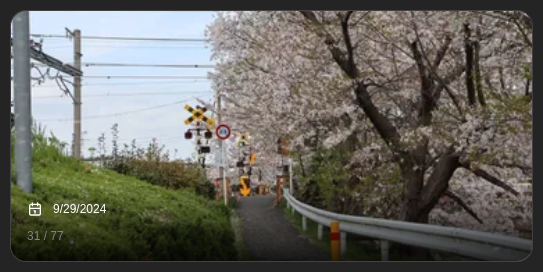
Shows a slideshow of pictures from an Immich album or your full library
Screenshots
Supported Integrations

ImmichSelf-hosted photo and video management solution
Supports advanced view. See the advanced keyboard shortcuts.
Hover or focus the widget to pause its slideshow; touch devices keep the control available. A paused slideshow keeps its resume control visible. The advanced view displays the complete photo without cropping, groups previous, pause or resume, and next together, and includes every loaded photo in its thumbnail strip. If an Immich refresh fails, the last loaded album stays visible with a stale-data warning.
Adding the widget
Add the widget from the board's Add board content menu in edit mode.
Configuration
| Name | Description | Values | Default value |
|---|---|---|---|
| Album | Select an Immich album or All photos. An empty selection also shows random photos from your full library. | String | All photos |
| Interval in seconds | Rotate between pictures in the album every X seconds. Must be at least 1. Must be below 3600 | String | |
| Show photo info | Display date of the picture and the current index at the bottom of the slideshow | yes / no | no |
| Randomize photos | Show photos in a random order instead of always starting with the same album order. | yes / no | no |