
Logs
The logs page shows recent Homarr application logs and continues updating as new events occur. Use it to investigate widget, integration, and server errors without opening the container logs separately.
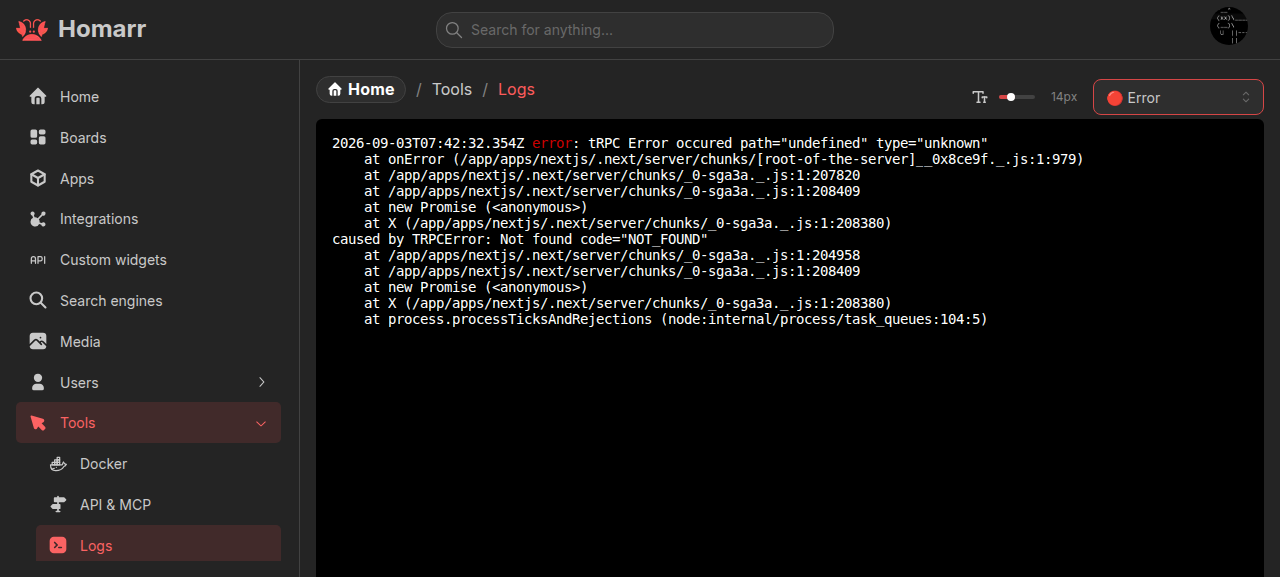
Opening the logs page
Navigate to Management > Tools > Logs. The page and widget log links are only available to users with the View logs permission.
When a widget reports an error, Check logs for more details opens the logs page in a new tab and marks the time when the widget displayed the error. The related server error normally appears immediately above that marker. If those logs have already been removed from the retained history, the marker explains that they are no longer available.
Retained and live logs
Homarr retains the latest 5,000 log events in Redis. Opening the page first loads this history and then continues with live events without a gap. The history is bounded, so older events are removed automatically.
The history survives normal application restarts when the configured Redis instance persists its data. For complete platform-level history, startup failures, or events older than the retained limit, use the logs provided by Docker or your deployment platform.
Display controls
The severity selector applies to both retained and live events. Selecting a different level redraws the existing view using that threshold. The font-size control changes the terminal text size and is remembered in the browser.