
Assistant
Configure and use Assistant.
Assistant answers questions and operates Homarr through the signed-in user's permissions. Read-only tools can run automatically; changes require approval by default.
Request flow
Configuration
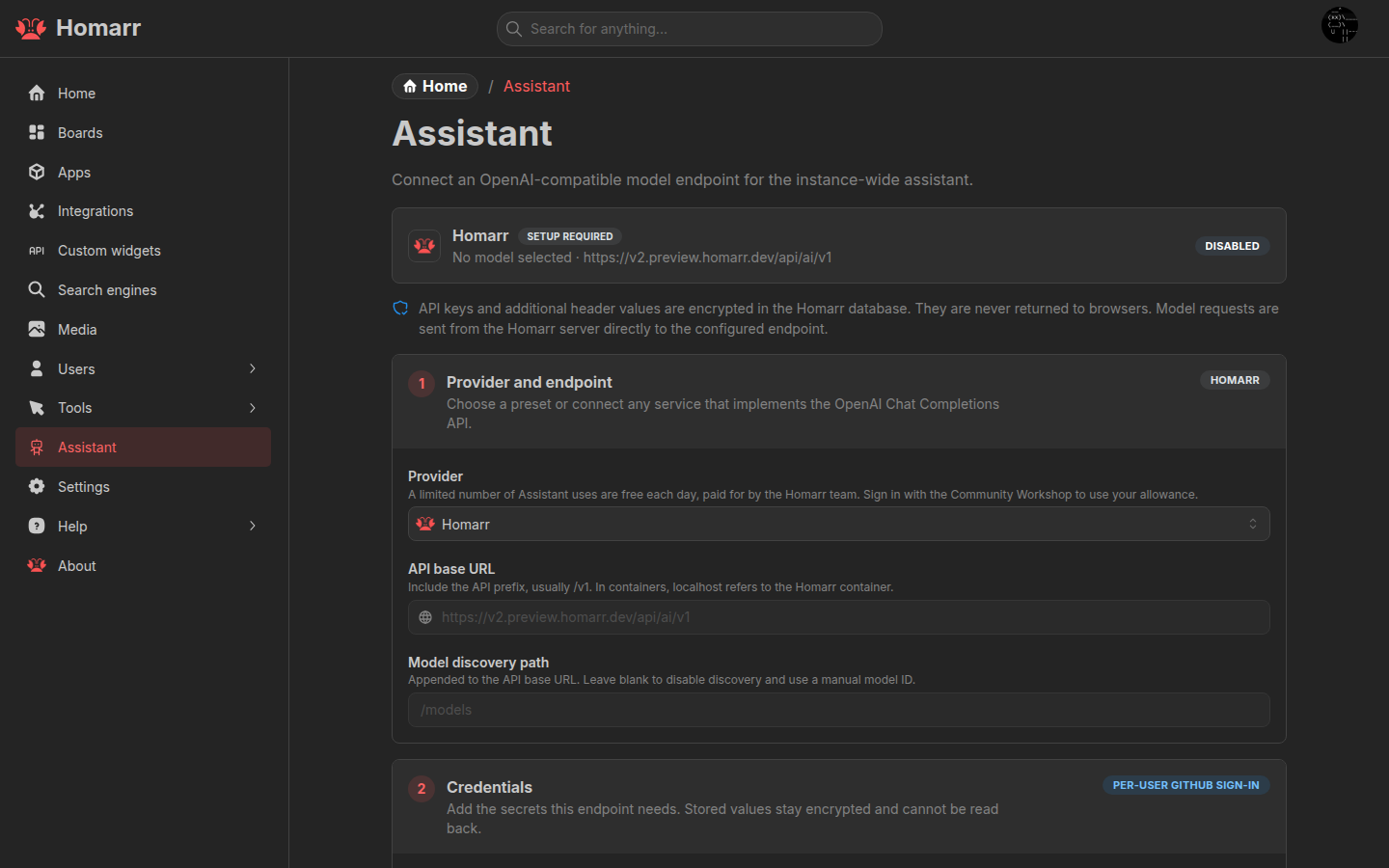
Under Management → Assistant, select a provider, configure its API URL and key when required, select the default model, and enable Assistant. Users can choose another available model for a conversation.
Provider presets cover common APIs. Custom endpoint accepts an OpenAI-compatible Chat Completions API. For a model
server outside the Homarr container, use a hostname that the container can resolve instead of localhost.
The Homarr provider is available through the Community Workshop without an administrator API key and has a daily request allowance.
Access
Open Assistant from the user menu, with Shift+A, from search with Cmd/Ctrl+/, or through the
Assistant widget.
Assistant can work with boards, apps, integrations, widgets, Custom Widgets, and supported connected services. Mention
Homarr resources with @; the model loads additional live context only when needed.
Conversations are stored per user and can be searched, renamed, exported, or deleted.
Permissions and data
- Every tool call uses the current user's Homarr permissions.
- Automatic approvals apply only to the current conversation and reset when switching conversations.
- Provider keys and custom headers are encrypted and are not returned to the browser.
- Prompts, attachments, tool definitions, and tool results are sent to the selected model provider.
See MCP to connect an external AI client and Custom Widget agent authoring for widget generation.
Troubleshooting
- No models found: check the API URL, discovery path, and API key, or enter a model ID manually.
- Assistant is unavailable: enable it and save the configuration.
- Tool calls stop: use a model that supports streaming and tool calls.
- Local endpoint is unreachable: check container DNS, routing, and the model server's listen address.