
API
Homarr exposes OpenAPI and tRPC endpoints for automation. Open the generated specification under Management → Tools → API or use the interactive API reference.
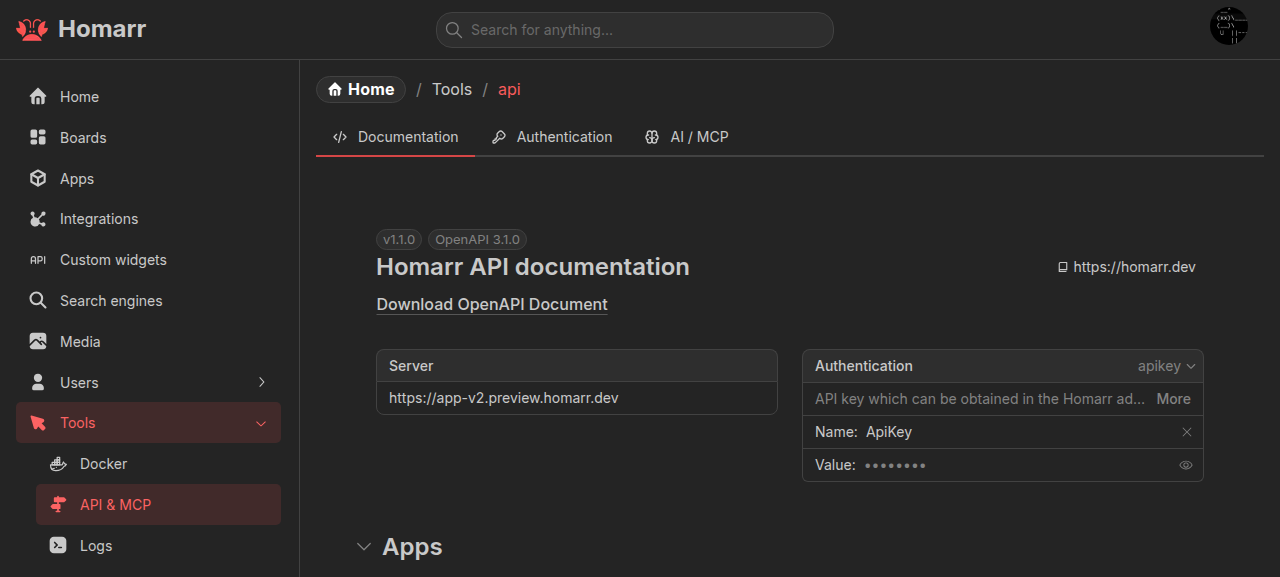
Authentication
Create an API key from the Authentication tab. Its value has the form <id>.<token> and is shown once.
Send it in the ApiKey header:
curl -H 'ApiKey: <id>.<token>' https://homarr.example.com/api/infoThe same header authenticates tRPC requests under /api/trpc. Without a key, browser requests can use the Homarr
session cookie.
API keys do not expire automatically and act as the user that created them. Every request uses that user's group and resource permissions.
Invitation dates
POST /api/invites and the tRPC invite.createInvite procedure accept expirationDate as an ISO 8601 timestamp with a
timezone, for example 2026-12-01T18:00:00Z. Homarr validates the timestamp and stores it as a date. tRPC callers should
send the ISO string rather than a JavaScript Date object.
Health probes
The liveness endpoint does not require authentication:
curl https://homarr.example.com/api/health/liveIt returns JSON with overall and per-component status and latency. HTTP 200 means every dependency is healthy; HTTP
500 identifies an unhealthy component without exposing its internal error. Health responses are not cached.
Pagination
General paginated endpoints accept at most 100 records per page, and shared search endpoints accept a limit of at most 100. Request subsequent pages instead of using a larger value.
Permission behavior
Unauthorized operations return FORBIDDEN. List endpoints filter records on the server when resource-specific access
applies.
App catalog endpoints such as app.all, app.getPaginated, and app.search require Modify all apps because they
include internal URLs. Use app.selectable for the reduced board-picker fields.
Integration list and search endpoints return only integrations the key owner can access. Check each integration's
hasUseAccess and hasInteractAccess fields before reading data or invoking actions.
Board automation
The API can create, duplicate, rename, delete, and configure boards; manage board content; and set desktop or mobile home boards.
Each board has exactly one Mobile and one Base layout. Mobile uses breakpoint 0; all breakpoints are unique. Custom
layouts can use any other breakpoint, and Homarr selects the highest breakpoint that fits the viewport. Preserve layout
roles and use the canonical layouts returned by save operations, including generated IDs.
Creating or changing an integration-backed widget requires use access to each newly selected integration.
Docker targets
Docker actions identify both the configured endpoint and the container:
{
  "targets": [{ "endpointId": "local", "id": "container-id" }]
}
Read both values from docker.getContainers immediately before calling docker.startAll, stopAll, restartAll, or
removeAll. The endpoint ID prevents collisions between Docker or Podman hosts.
docker.getContainers accepts optional endpointIds. Omit it or pass an empty array for every configured endpoint.
Partial upstream failures
Queries that combine several integrations can return healthy data alongside failure metadata. The exact response shape
depends on the endpoint; inspect the generated schema instead of assuming a common error field. When every selected
integration fails, the query returns an error.
Custom Widget resources
Authenticated administrators can retrieve the current Custom Widget authoring prompt, schema, component catalog, skill,
and focused references under /api/custom-widgets/.
Use Custom Widget agent authoring for the lifecycle and MCP when the client supports Model Context Protocol.
Gotify notification deletion
The Notifications widget's widget.notifications.deleteNotification tRPC mutation accepts integrationId and
notificationId (a positive decimal string). It requires a signed-in user with Interact access to a Gotify integration,
deletes the message from Gotify, and invalidates its notification cache. It is not exposed through REST or MCP.
Integration statistics
widget.stats.catalog lists the metric keys and units for one integration. widget.stats.snapshot reads its shared snapshot without making service requests. widget.stats.refresh refreshes it through the shared concurrency limit; force: true bypasses the one-hour freshness check. Each procedure requires integrationId and checks Query access, including for cached values. These procedures are also exposed through MCP under stats. They are not REST endpoints.
Refresh returns the current snapshot, which may still be old if another process is refreshing that source. Inspect updatedAt, stale, error, and retryAt; a refresh failure retains successful values. See the Statistics widget for cache behavior.