Homarr 2.0.0 - Workshop, Custom Widgets and a rebuilt board
By ajnart
First, thank you.
Many of you used the v2 demo when it was still rough, found bugs and came back to test the next build. Others translated Homarr, answered questions, contributed code or simply kept using it. We would not be shipping this without you.
We are also planning a small batch of free, limited-edition Homarr swag for Workshop contributors and a few randomly picked community members. It is not for sale and it is not for profit. No Homarr merch empire, sorry.
If you're thinking, “I ain't reading all dat,” don't worry—we made a video for your short attention span. No Subway Surfers gameplay, though.
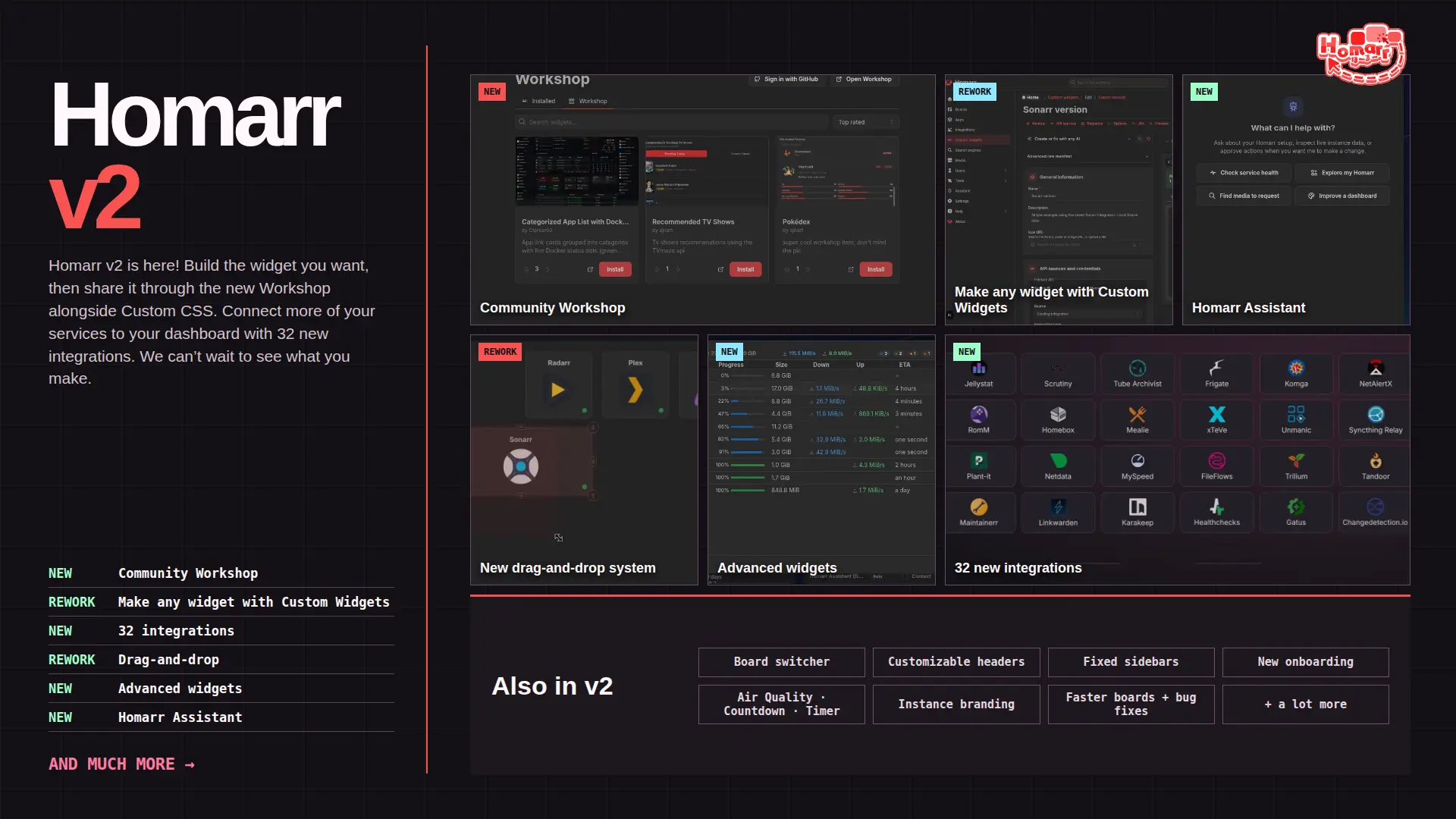
Homarr 2.0 builds on the dashboard you already use. Here is what changed.
SQLite and PostgreSQL users can update their Homarr image as usual; database migrations run automatically at startup. MySQL users must convert before upgrading, as explained below. Workshop uses the production service by default, with no preview URL configuration required.
Database support in v2
Homarr v2 drops MySQL support and keeps SQLite (the default) and PostgreSQL. Supporting fewer database engines lets us focus migration testing on those two. Existing MySQL installations have a standalone conversion script to move their data to SQLite before upgrading.
Using MySQL? How to migrate
- Update to the latest stable v1 release, then back up your MySQL database, appdata, and encryption key.
- Stop Homarr and run the MySQL-to-SQLite converter. It checks the copied data and leaves MySQL unchanged.
- Start v2 with the converted database, your existing appdata, and the same
SECRET_ENCRYPTION_KEY.
The converter is verified against the v1.77.1 schema and rejects unknown schemas. See the migration guide for commands, supported inputs, and rollback instructions.
Custom Widgets v2 and Workshop
Build almost any widget
This is the big one. We think it is the most important Homarr update we have made.
Custom Widgets v2 lets you build widgets from JSX, API requests, actions and typed settings. Write one yourself or describe it to Assistant, then test it in the workbench. We think this is enough to make almost any dashboard widget—even that oddly specific component only three people need. Those three people no longer have to wait for us.
This was partly inspired by Google's upcoming Create My Widget feature: describe a widget in normal language and let AI make it. Coding knowledge is optional. Knowing what the API does still helps; AI has not fixed bad documentation. Yet.
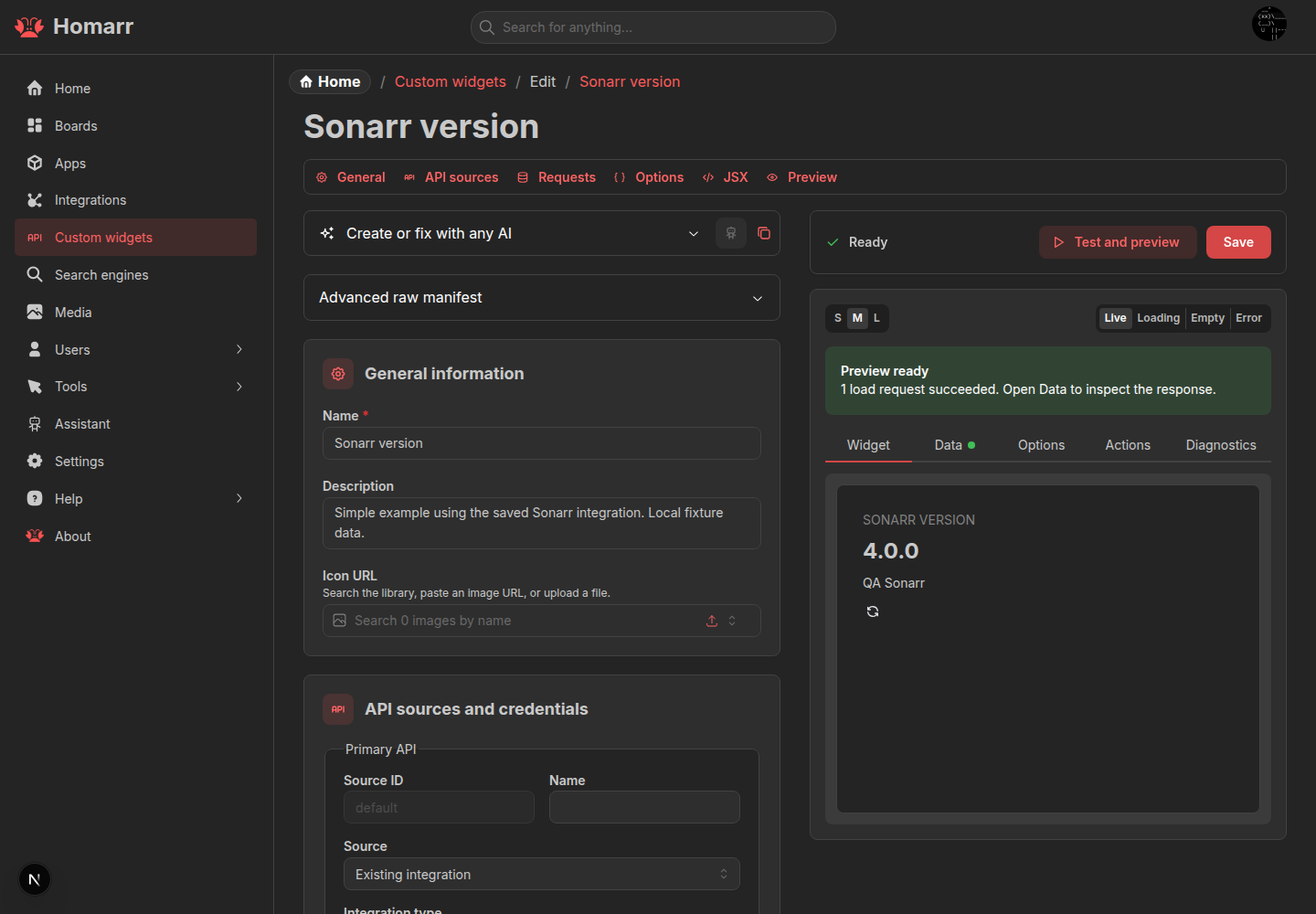
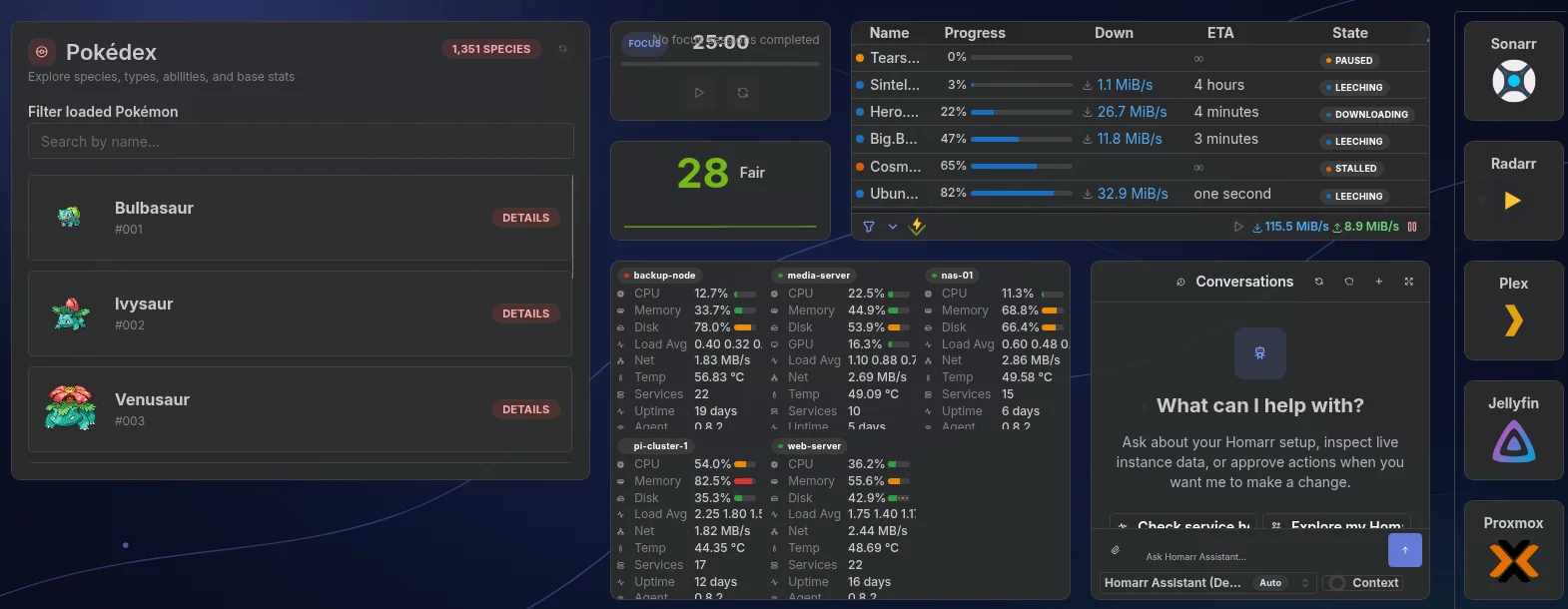
A homarr-custom-widget-v2 definition can use several fixed-origin API sources. Credentials are encrypted separately and stay out of exports and Workshop submissions. Actions support GET, POST, PUT, PATCH and DELETE; requests have host checks, timeouts, size limits, permissions and rate limits.
Share widgets and Custom CSS
Workshop is the other half. Publish and install Custom Widgets, then update, vote on, comment on and report submissions. Workshop is not only for widgets: you can share your Custom CSS there too. Deployment URLs and credentials stay on your Homarr instance.
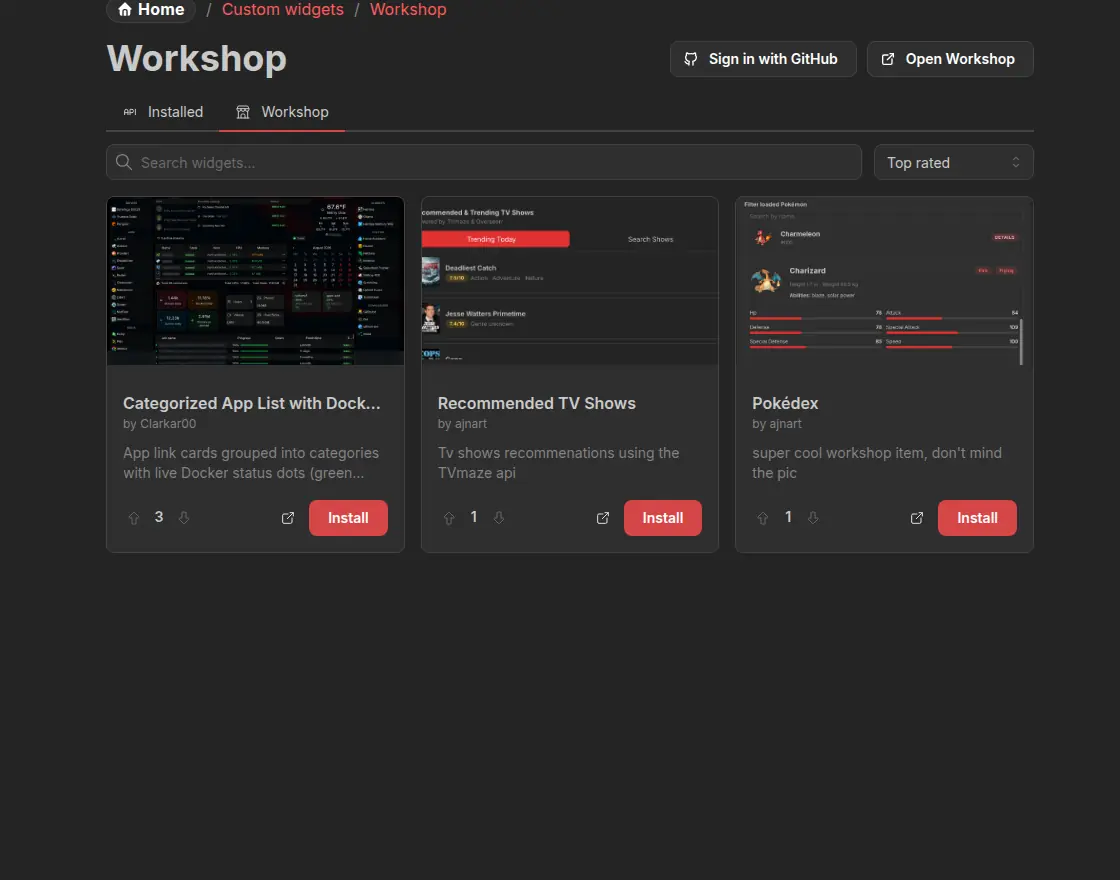
Workshop is moderated
AI makes widgets easy to produce. It does not make the first thing it coughs up worth publishing. Do not dump untested slop into Workshop. Test it, add a useful screenshot and explain its setup. Workshop is moderated.
Docusaurus + PocketBase for the docs and Workshop
Our docs and Workshop now share a Docusaurus + PocketBase deployment. Docusaurus compiles the website into static HTML, CSS and JavaScript at build time. A Go service built on PocketBase serves those files and provides the Workshop backend for accounts, submissions, votes, comments and moderation.
The production image packages both together under the same origin. Node.js is used to build the website, but is not needed to serve it in production. Workshop's persistent data lives separately in /pb_data, so replacing the image does not replace community content. This is the website and Workshop architecture; your self-hosted Homarr dashboard remains a separate application.
The ultimate Homarr update
We have called this the "ultimate Homarr update". Not because work stops, but because every new service or widget idea no longer needs a full Homarr release; the community can build and share it instead.
Board editing, rebuilt
Drag and drop
We threw out the old drag-and-drop system and rebuilt it on dnd-kit. Moves and eight-direction resizes are transactional: Homarr previews the result, checks collisions and only saves a valid layout. Bad moves roll back instead of wrecking the board. In short: less fighting with your own dashboard.
Goodbye Groups and sections, bonjour Containers
Groups and dynamic sections did nearly the same job, so Containers replace both. They hold apps, widgets and other Containers. Move a Container with its contents, or collapse it when you need the space.
Hold Ctrl or Command while clicking to select several items, then use Move to to put them in a Container.
One board, several layouts
Boards also have Base and Mobile layouts, plus optional breakpoints. Reset from Base creates a Mobile starting point without duplicating the board.
Fixed sidebars
Keep app shortcuts or widgets in a sidebar while the main board scrolls. Enable a sidebar and choose its width in board settings.
Homarr Assistant
Work with live Homarr data
Assistant reads live Homarr data and has tools for boards, apps, integrations, widgets, Docker and supported services. It can answer questions, make approved changes and build Custom Widgets. It follows your permissions: reads can run automatically, while changes require approval by default.
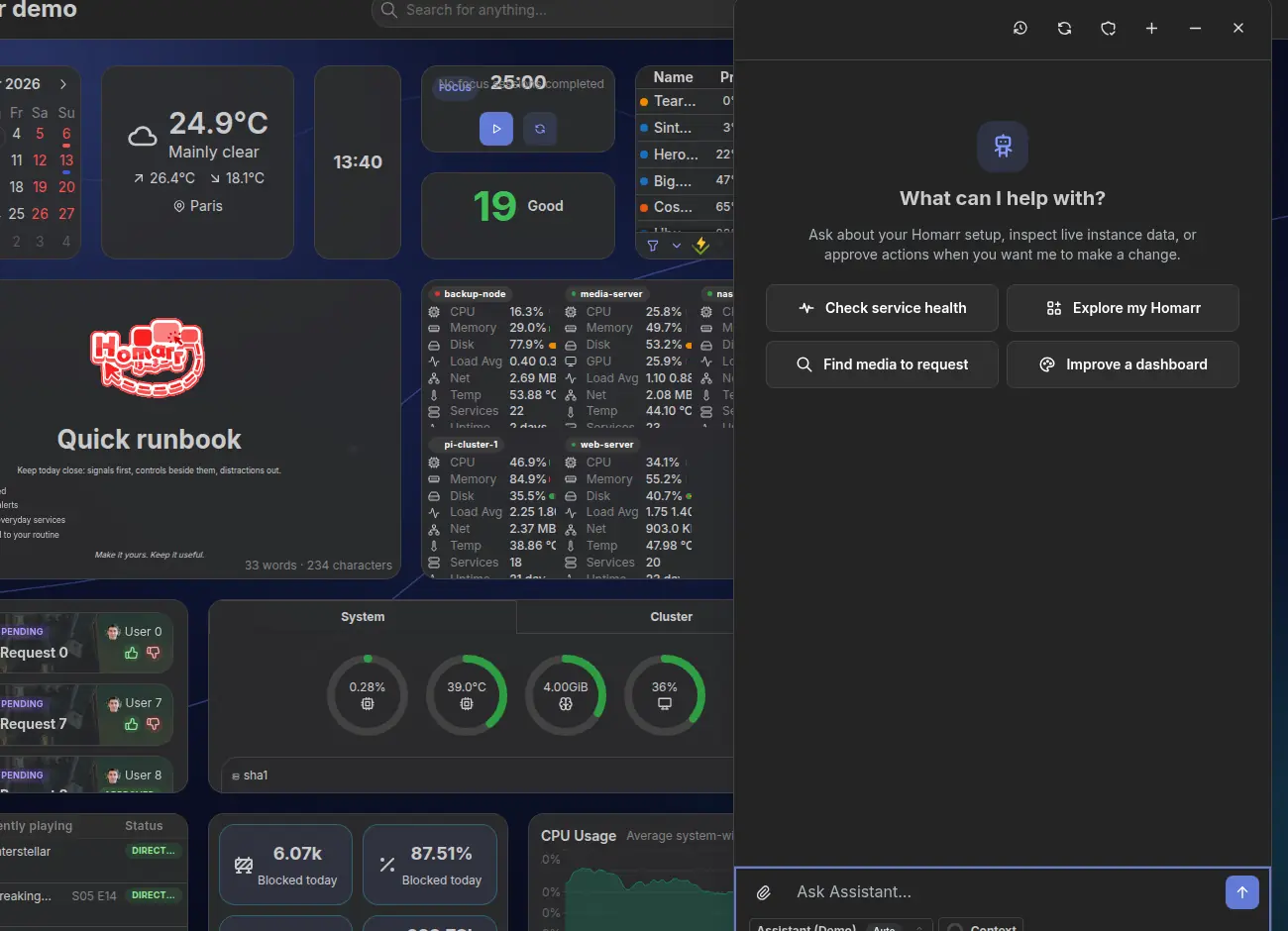
Open it with Shift + A. Cmd/Ctrl + / searches it.
The Homarr provider
Assistant ships with a "Homarr provider". It is free, will never offer paid plans, and is paid for by Ajnart using the ad revenue from this website.
It only uses zero-data-retention (ZDR) providers. The provider is open source, and neither prompts nor responses are logged. We are not selling your data. Pinky promise.
External assistants through MCP
External assistants can use the same permission-checked tools through /api/mcp, with an API key or OAuth 2.1 with PKCE.
The rest (there is a lot)
Brand-new onboarding
A six-stage setup studio handles the first admin, core settings, Docker discovery, apps, integrations and the first board.
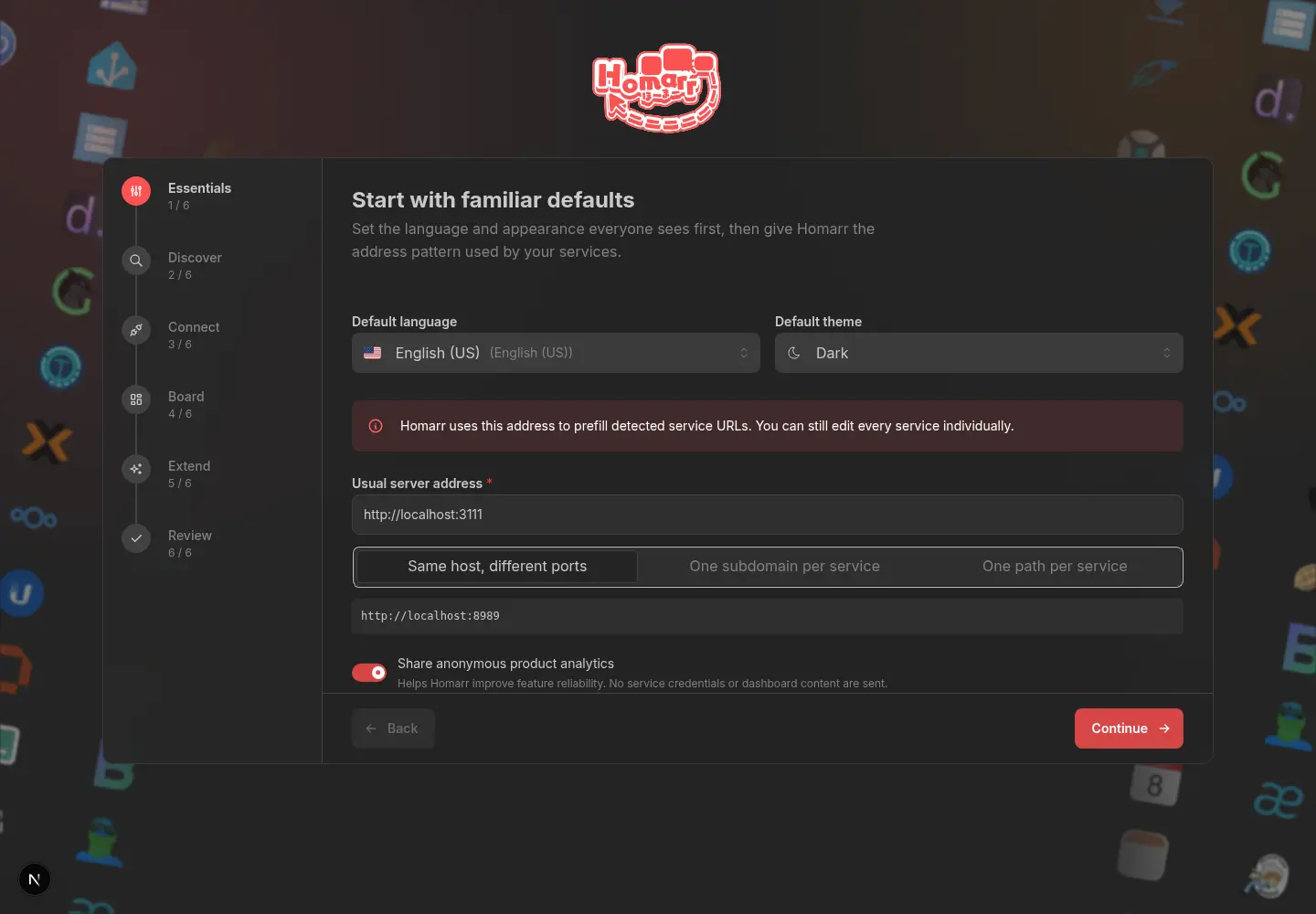
Board switcher
Boards now live in a searchable gallery with keyboard navigation. Open it from the header or press Shift + C.
Command menu and keybinds
Cmd/Ctrl + K finds resources, pages, settings, users, groups and commands. More keybinds cover Assistant, editing, selection and advanced widget views.
Customizable header
Add direct links to boards and shortcuts to features such as search, Docker and settings. Put them on the left, center or right, and change their order.

Arrange it in the Header studio
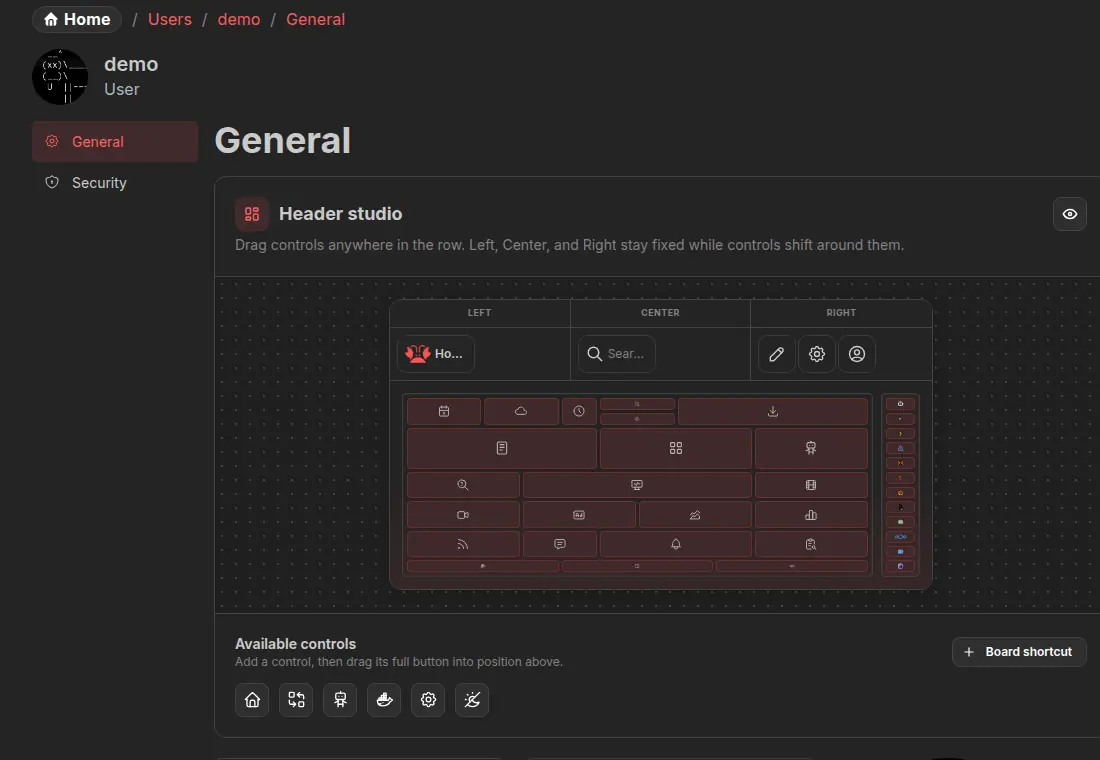
Instance branding
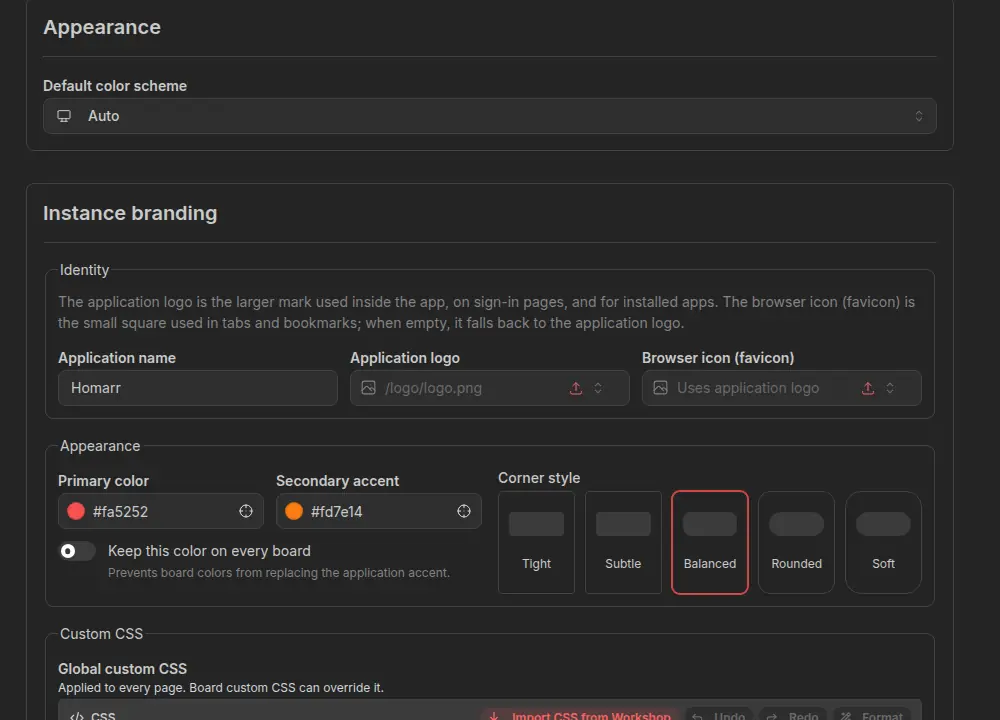
Change the name, logo, favicon, colors, corner styles and login page. Global CSS applies instance-wide; board CSS can override it. Only give that power to admins you trust. CSS remains CSS.
Widgets
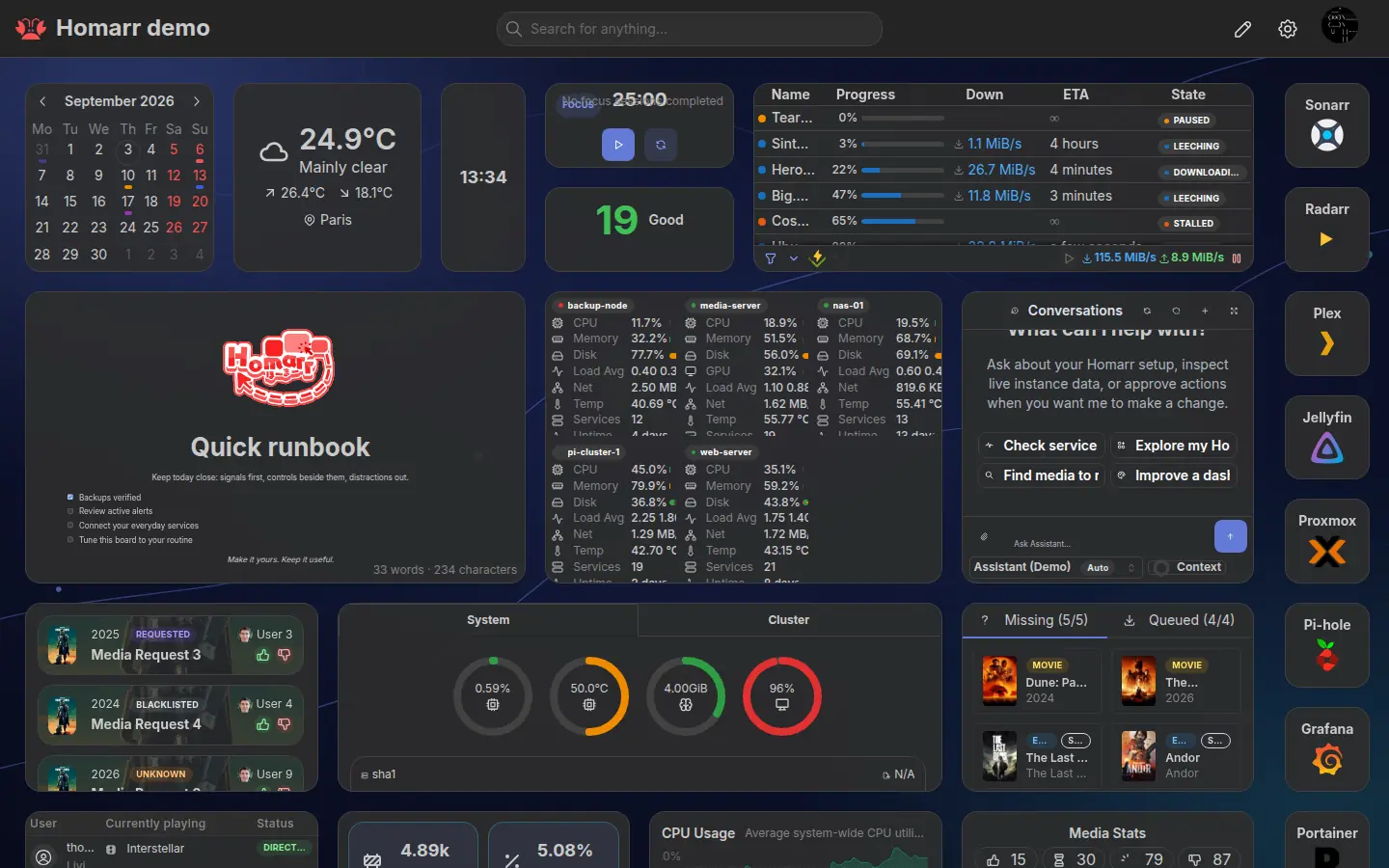
Add content without leaving the board. Settings have live previews. Weather and Clock were redesigned; Air Quality, Countdown and Timer are new.
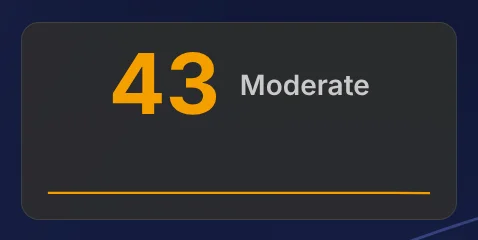
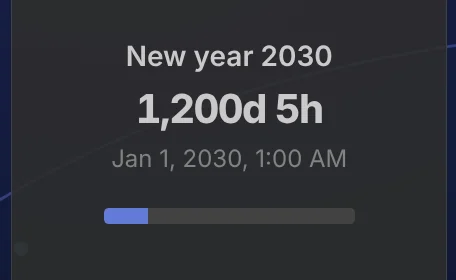
Supported widgets also have advanced views. Hover over a widget and hold Shift for one second to open one.
Statistics and 31 new integrations
The new Statistics widget combines fields from different services in one grid: Sonarr shows beside Paperless-ngx documents, Navidrome songs or Homebox inventory. Choose cards, compact rows or tables grouped by integration. Click a metric for related fields, or open Advanced view from the context menu to see every available field from the selected sources.
Add your services in Management → Integrations, then select them and their metrics in Statistics settings. Labels, order and abbreviated values are configurable; the widget's local view controls let you try a different arrangement without changing the shared board. The demo board includes mocked cards, rows and tables.
This release adds:
- Media and libraries: Autobrr, FileFlows, Jackett, Jellystat, Komga, Maintainerr, RomM, Stash, Tube Archivist, Unmanic, xTeVe and Your Spotify.
- Monitoring and networking: Caddy, Changedetection.io, Frigate, Gatus, Healthchecks, NetAlertX, Netdata, Prometheus, Scrutiny and Syncthing Relay.
- Collections and home: Homebox, Karakeep, Linkwarden, Mealie, Miniflux, Plant-it, Spoolman, Tandoor and Trilium.
The integration and metric reference links to each setup guide. Jackett also joins the Indexer Manager widget. Existing supported integrations reuse their Homarr clients.
Statistics keeps saved snapshots until you refresh them. Multiple metrics from one source share retrieval, and dashboard loads read cached data instead of refetching every service. Right-click → Refresh retrieves new source data and shows the oldest saved snapshot's age; unsuccessful refreshes keep the previous values. These are on-demand snapshots, not live monitoring.
Docker and Podman
DOCKER_ENDPOINTS supports several hosts. Assisted setup and container labels can create apps, integrations, Containers, widgets and health checks.
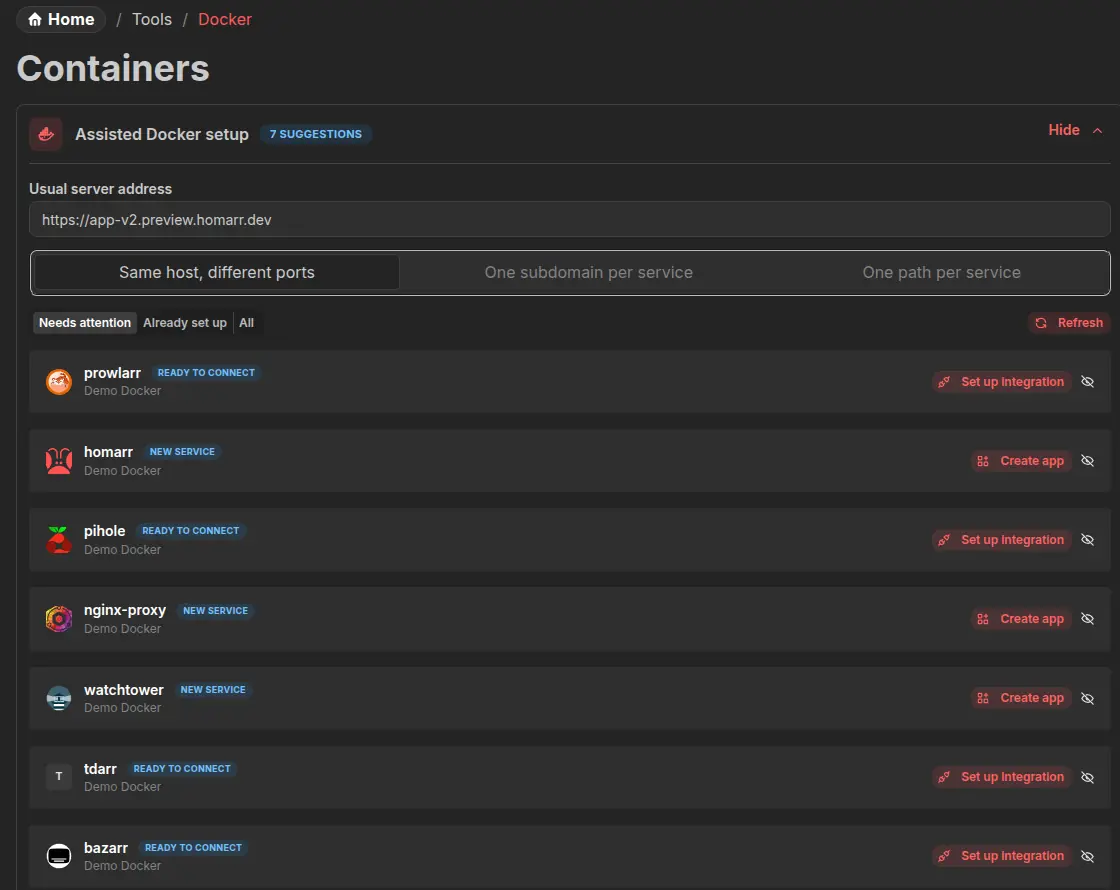
Homepage-compatible labels work too.
Permissions
Groups use a new Viewer, Editor and Admin matrix. The API, Assistant and MCP follow the same rules. LDAP can create users on first sign-in; OIDC can link verified accounts and synchronize groups.
Performance
Board startup work runs in parallel, heavy screens load when opened, and identical integration requests share work instead of doing it twice.
Deploy on Hostinger
Hostinger now offers a one-click Docker deployment of Homarr on its VPS plans. They maintain the deployment template, and you manage the resulting VPS and Homarr instance. Our new Hostinger installation guide walks through deployment and first setup.
We deploy the Homarr Workshop and the compiled Docusaurus docs on the VPS provided by Hostinger. Thank you for hosting this part of Homarr's infrastructure. We have an affiliate partnership as well: purchases through a referral link may support Homarr. For now, the links above go directly to their Homarr application page.
Compatibility notes
- Legacy Custom JSX definitions enter a migration state. Homarr keeps encrypted credentials and an archived copy until the v2 definition validates.
- Mobile layouts place rail content in the main flow instead of displaying rails.
- Assistant and MCP do not bypass permissions.
Links
- Try the live demo.
- See installation and update instructions.
- Browse Workshop.
- Read the guides for Boards, Custom Widgets, Assistant, MCP and Docker labels.